

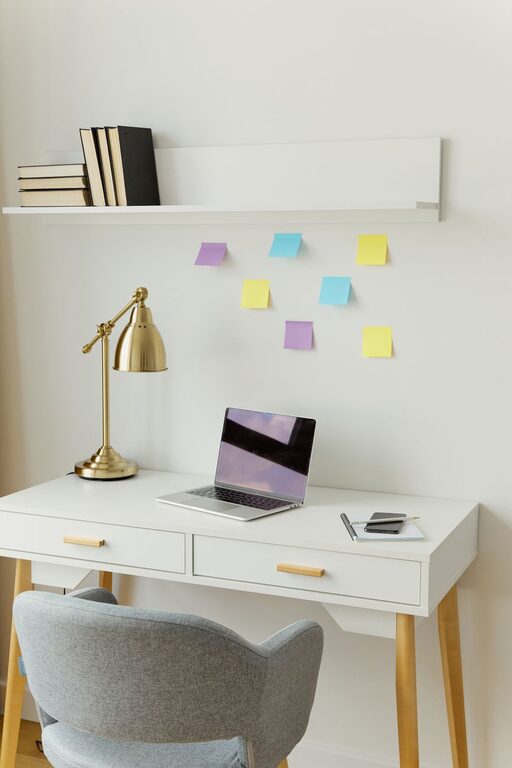
Creating a cozy and functional home workspace has become increasingly important as more people work remotely. A well-designed workspace not only enhances productivity but also helps reduce stress and improves overall work satisfaction. Whether you have a dedicated room or a small corner, there are simple ways to make your home office a place where you want to spend your time. Here’s a detailed guide with tips to help you build the perfect home workspace.
Choose the Right Spot
Find a Quiet Area
Select a space away from distractions, such as television or heavy foot traffic. A quieter area allows for better focus and concentration.
Consider Natural Light
If possible, choose a spot near a window. Natural light can boost your mood and reduce eye strain. If natural light isn’t an option, invest in good-quality artificial lighting that mimics daylight.
Evaluate Your Space Needs
Think about the type of work you’ll be doing. Do you need extra room for paperwork, equipment, or storage? Measure your space to ensure your furniture fits comfortably.
Select Comfortable and Practical Furniture
Invest in an Ergonomic Chair
Comfort is key when working for long hours. An ergonomic chair supports your back and encourages good posture.
Choose a Desk with Adequate Space
Your desk should fit your computer, office supplies, and any other essentials you need regularly. Consider options with built-in storage or adjustable height for versatility.
Add Functional Storage Solutions
Use shelves, filing cabinets, or baskets to keep your workspace organized. Having a clutter-free environment improves focus and efficiency.
Personalize Your Workspace
Use Colors That Inspire
Choose colors that make you feel calm or energized. Soft blues, greens, or neutrals are great for relaxation, while brighter colors can boost creativity.
Add Plants for a Touch of Nature
Plants not only decorate your workspace but also improve air quality and create a calming atmosphere.
Incorporate Personal Items Thoughtfully
Photos, artwork, or meaningful objects can make your workspace feel welcoming, but avoid over-cluttering.
Optimize Lighting and Technology
Balance Lighting Options
Combine ambient lighting with task lighting. Desk lamps or adjustable LED lights can help reduce shadows and glare.
Manage Cables and Devices
Use cable organizers or clips to keep wires neat and prevent tangling. Ensure your devices are charged and functioning properly to avoid interruptions.
Choose Tech That Meets Your Needs
Select a reliable computer, printer, and other accessories that support your work without slowing you down.
Maintain Comfort and Wellbeing
Keep Your Workspace Clean
Regular cleaning and tidying can prevent stress and distractions.
Take Breaks and Move Around
Set reminders to stand, stretch, or walk during work sessions to maintain good health and productivity.
Control Room Temperature and Airflow
Use fans, heaters, or open windows to keep your space comfortable throughout the year.
Boost Productivity with Organization
Plan Your Workflow
Use calendars, planners, or digital tools to schedule tasks and deadlines effectively.
Create Zones for Different Activities
If space allows, designate areas for focused work, meetings, or breaks.
Limit Distractions
Use noise-canceling headphones or set boundaries with household members during work hours.
Final Thoughts
Designing a cozy and functional home workspace doesn’t have to be overwhelming. By focusing on comfort, organization, and personalization, you can create an environment that supports your work and well-being. Remember, your workspace should evolve with your needs, so feel free to adjust and improve it over time. A thoughtful setup can make all the difference in how you feel and perform throughout your workday.